
No Clear Cache Option on Android 10 and Android 11
Clearing cached data is easy on Android. But why can't you find an option to clear the cache on Android? Specifically on Android 10 and 11. Because Google has removed the option to clear cache from Storage Manager under the settings. But worry not you can clear the cache on Android the other way.
Let's check out how to clear the cache on Android 10 and Android 11. I hope to see this feature back on Android 12, but time will tell if it's happening or not. So let's dive into the process.
Clear Cache on Android 10 and Android 11
To clear the cache on Android 10 and Android 11 you will need to download an app because we don't have this Clear Cache Option built-in.
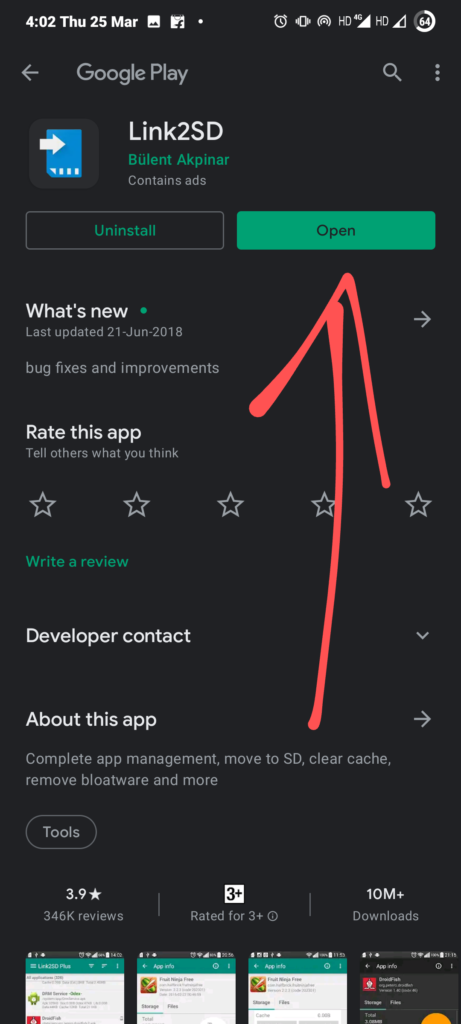
Step 1: Download and Install Link2SD app from the play store ( not promoting the app but it's really useful )
Step 2: Click on the hamburger icon or three lines that you see on the top left corner.
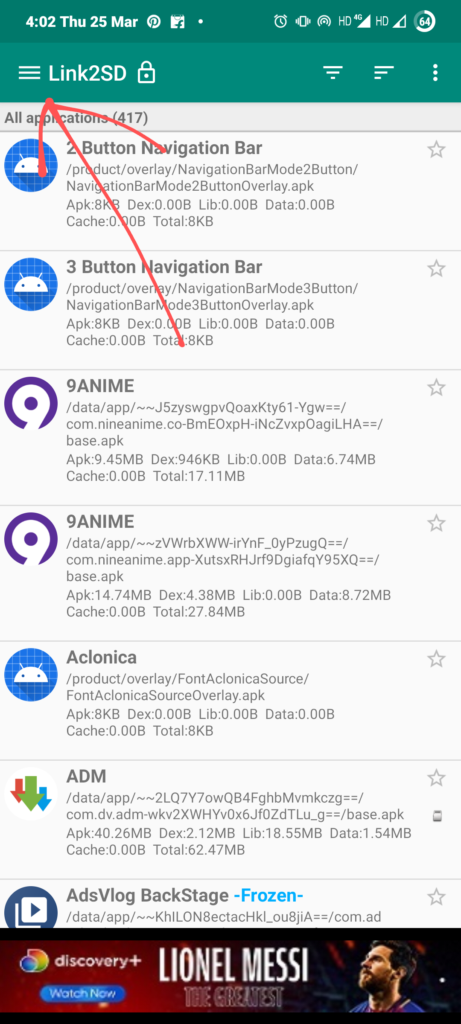
Step 3: Click on "Clear All Apps Caches", and it will ask you to confirm and Hit "Ok".
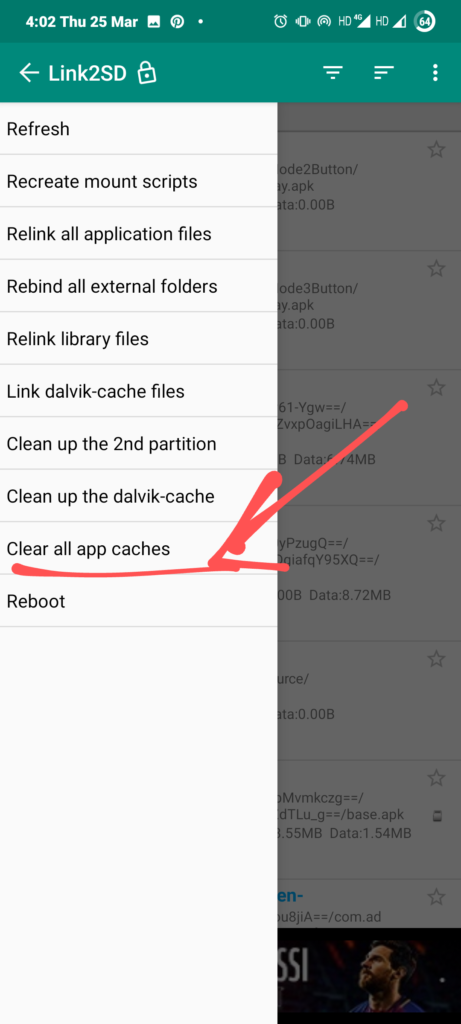
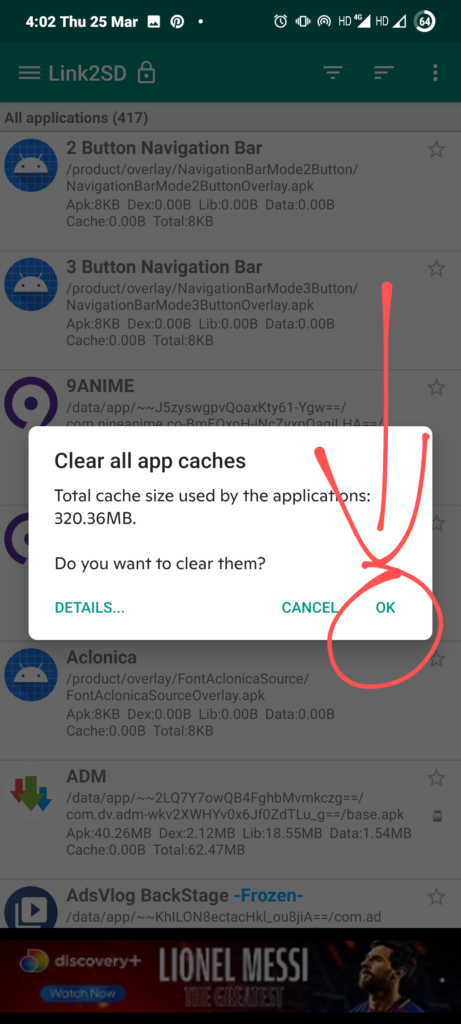
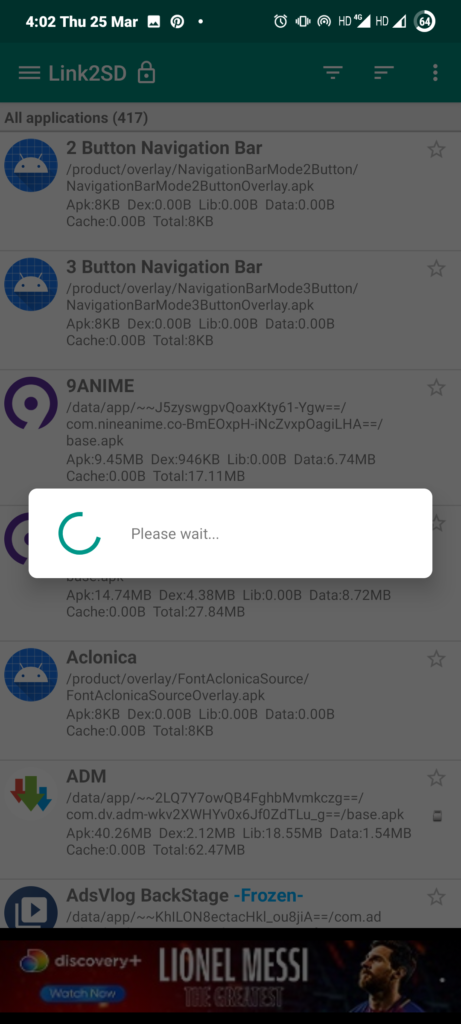
Now, you have successfully cleared cache on Android and you are good to go. The App is not a very big file in size. It's about 5-10MB or less. It is an app to Link Apps on SD Card, in case you have less Storage, but a clear cache option is also given because it's needed after you have moved apps to SD Card.
In case you want it as video form content then check this video out. All the steps are mentioned in the video.
Comment down below if this was an easy process or not. Yes - for easy, No - for not easy.

Comments (0)
Syncing authorization...